Product
Every opening becomes a connected record — with evidence, products, prices and history.
Not a flat takeoff. Agents assemble what each door needs from every document, show where it came from, and stop for your decision when it matters.

EXAMPLE OPENING O-214
Acoustic security door
- Location
- Level 2 / East corridor
- Size
- 3′-0″ × 7′-0″
- Ratings
- 90 min fire · STC 50
- Hardware
- Set 4 · electrified
- State
- 2 sources agree · 1 unresolved
Flag: 90-minute fire + STC 50 + electrified hardware — check closer clearance, certification and lead time before pricing.
Extract → reconcile → flag → recommend
- 1Extract ratings, sizes, material, glazing, hardware and quantity from each document.
- 2Compare plan, schedule, specification, hardware set and addendum.
- 3Flag conflicts, missing scope, incompatible products and lead-time exposure.
- 4Recommend a clarification, RFI, alternate, allowance — or estimator review.
Illustrative example.
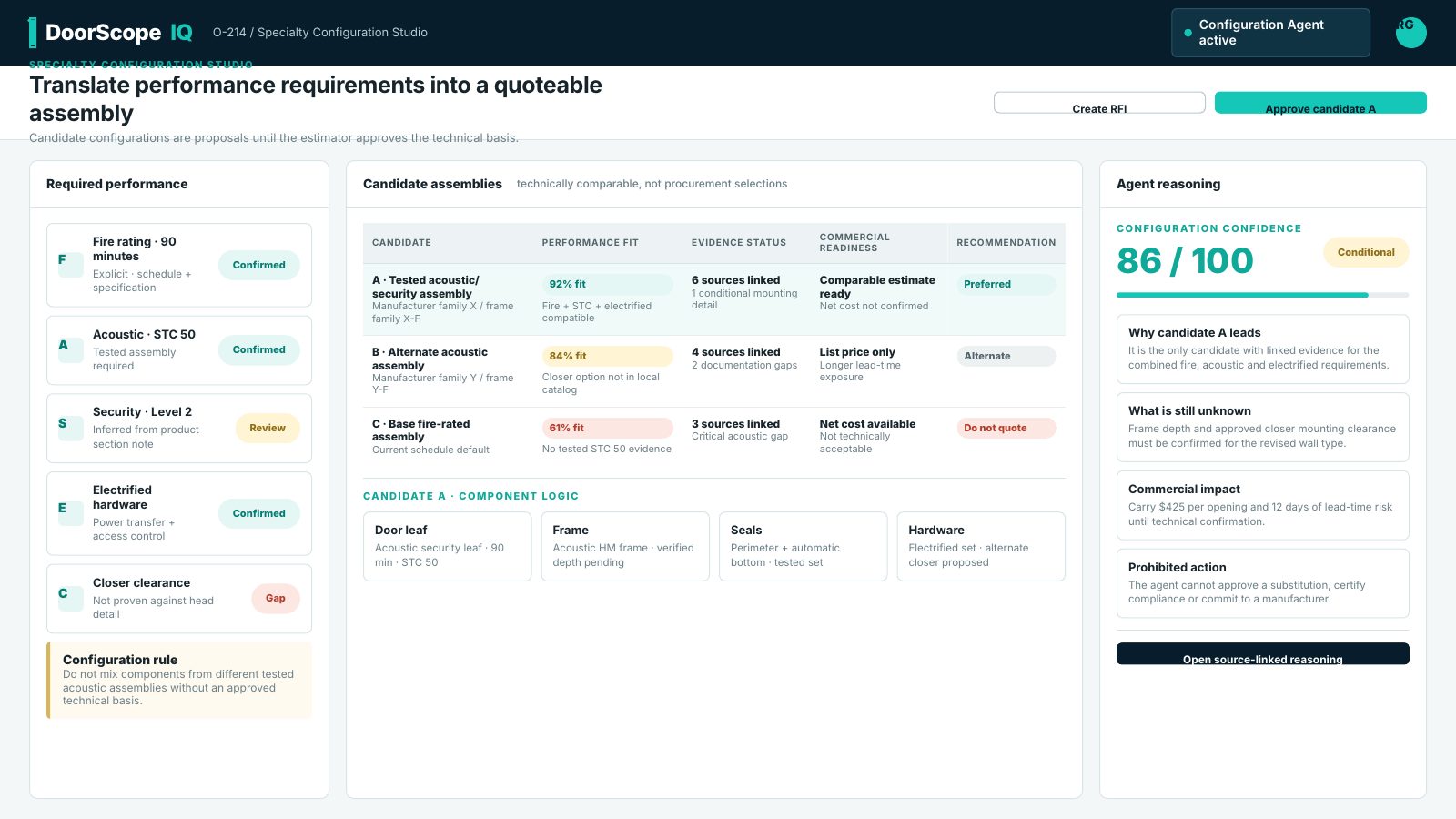
Specialty configuration
Turn performance requirements into a quotable assembly.
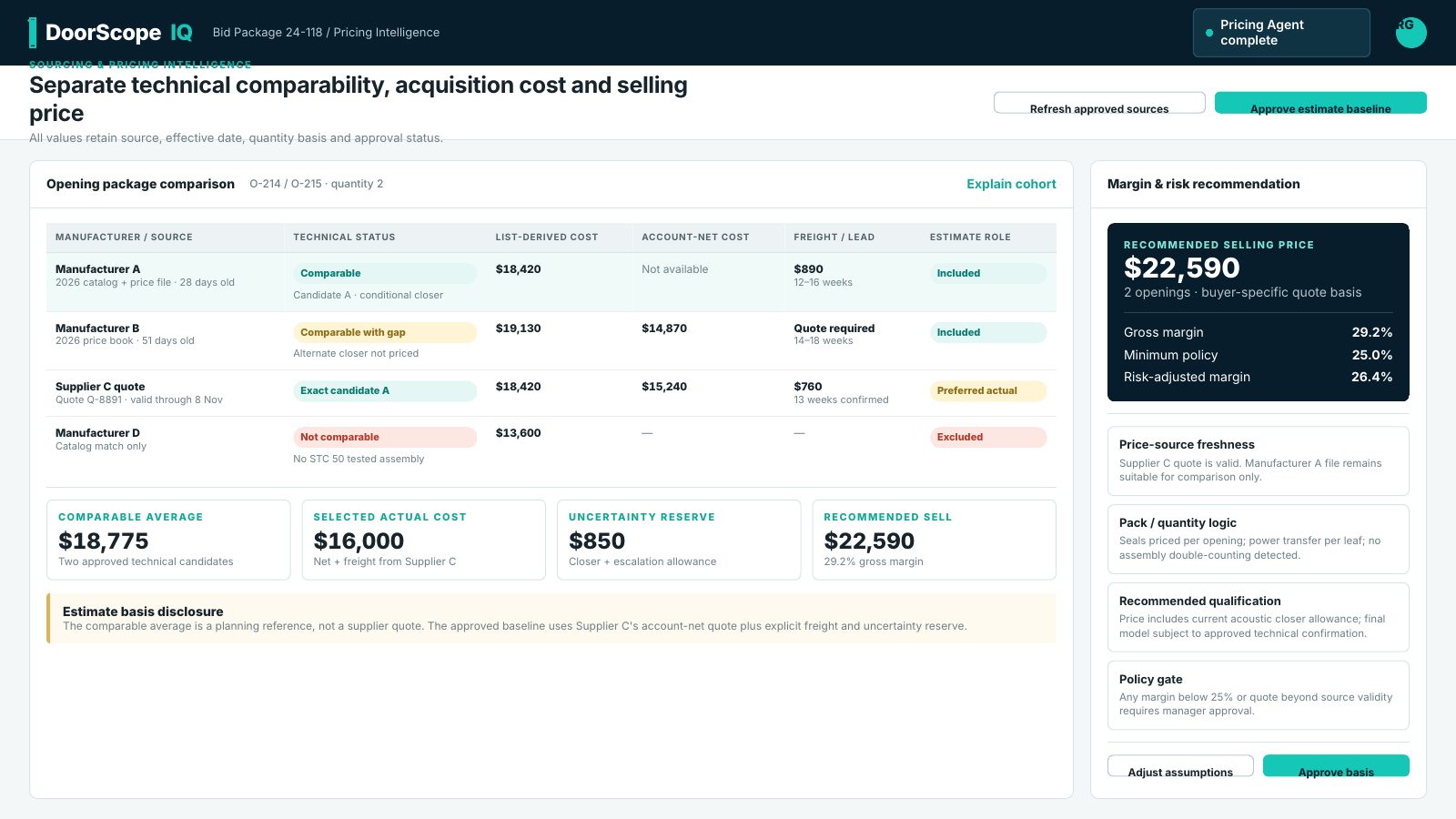
Price intelligence
Technical fit, acquisition cost and selling price, side by side.
What's inside
Project Finder
Searches public and private bid sources for projects with specialty door scope, scores them and builds your pipeline.
Documents to openings
Plans, schedules, specs, hardware sets and addenda are read per opening, with every value linked back to its page.
Resolve and qualify
Disagreements between documents become a ranked review queue with ready-to-send RFI (request for information) drafts.
Specialty configuration
Fire, acoustic (STC), RF shielding, blast and ballistic — only products proven to meet every rating are offered.
Governed pricing
List price, account net and supplier quotes kept apart, with comparable averages you approve and margin floors.
Approvals and proof
Only the exact approved version can be sent. Proof of submission and every decision are kept.
Revision impact
A new addendum or price change shows which bids it affects and asks for re-approval before anything goes out.
Company Memory
Win/loss lessons are tested against past bids and approved by an admin before Ask Fast Eddie uses them.
Ask Fast Eddie
Your assistant knows the project plan, explains the numbers and proposes actions you confirm with one click.
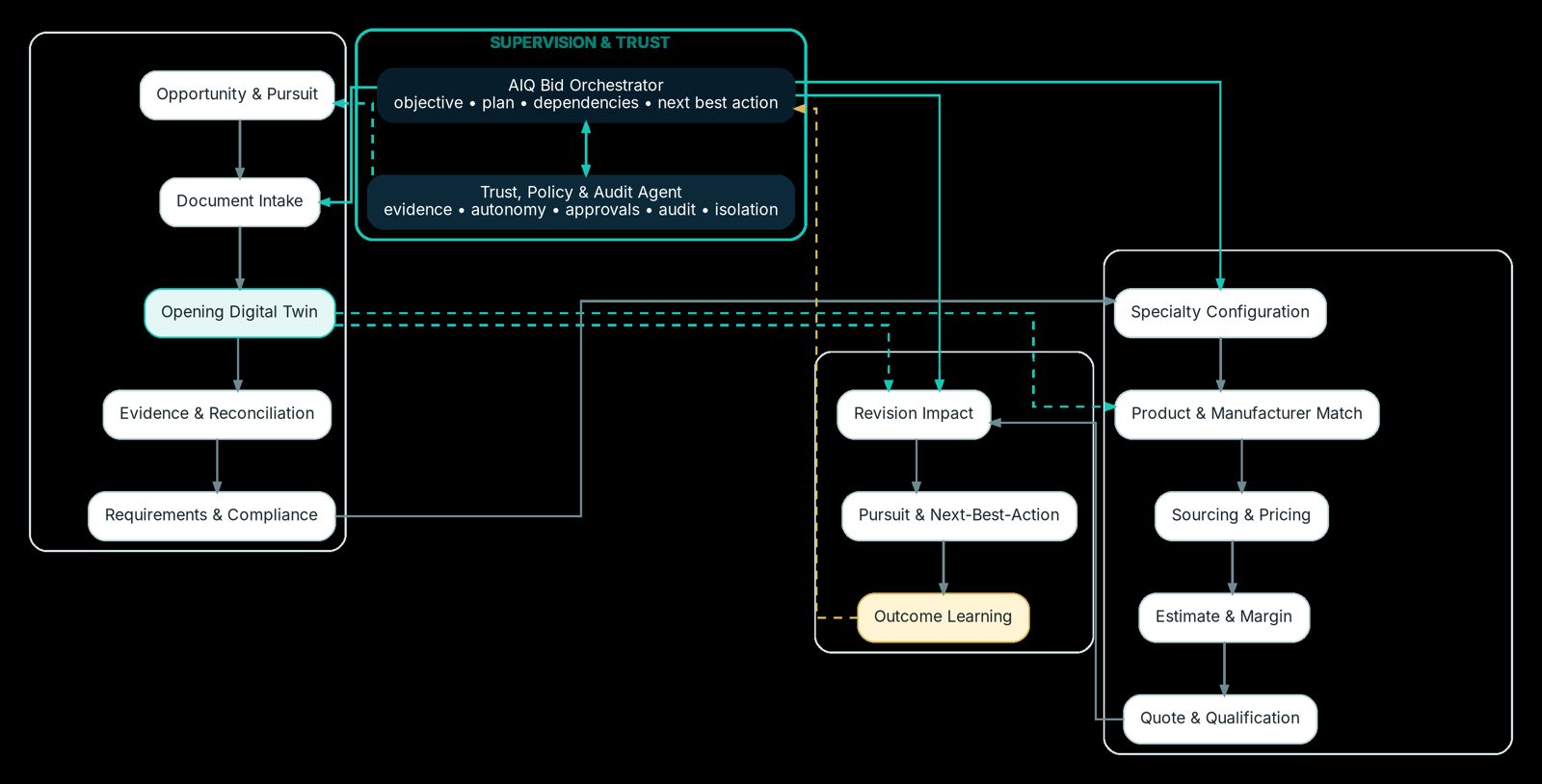
Your AI, your way
AI is built in. Companies that want more control can bring their own AI, or work with DoorScopeIQ from the assistant they already use.
Built-in AI
Works out of the box. Every request is logged per company, with monthly budgets and limit alerts.
Your own AI provider key
Company admins can add their own AI provider key so requests run on your account and contract. If your key fails, we tell you — we never quietly switch to ours.
Connect ChatGPT, Claude and more
Our MCP (Model Context Protocol) connection lets AI assistants search projects, read bids, look up your catalogue, see your dashboard and create bids. They sign in as you and see only what you can see.
Built for the whole estimating team
Owner / general manager
“Bid more of the right work without turning every project into a manual research exercise.”
Estimating leader
“Your team stays in control; the agents make evidence, conflicts and commercial impact visible.”
Senior estimator
“The system does the first-pass coordination and shows its work. You decide.”
Sales / business development
“Carry the same intelligence from pursuit into buyer-specific quotes and next actions.”
Purchasing / pricing
“One governed pricing view — list, net, quote, freight and validity kept apart.”
IT / operations
“Company-private data, your own AI key if you want it, and a secure connection for your AI assistants.”